Gathering material in a notebook is rarely the goal in itself. Sooner or later you want something out of it: a write-up, an analysis, a slide deck. Copilot Notebooks now takes that step for you, building a Word document, an Excel spreadsheet or a PowerPoint presentation from the references you’ve collected. What stands out is how little you do to start it — and how little you get to steer. We put all three formats through their paces and set out what comes back, and what determines whether it’s any good.
 Value: Draft in one click
|
 UseCase: Writing up research
|
 Reading time: 4 minutes
|
 Difficulty: Beginner
|
Overview
How to get started
- Open a notebook that already holds the references you want to use. Those sources, and only those, feed into the draft.
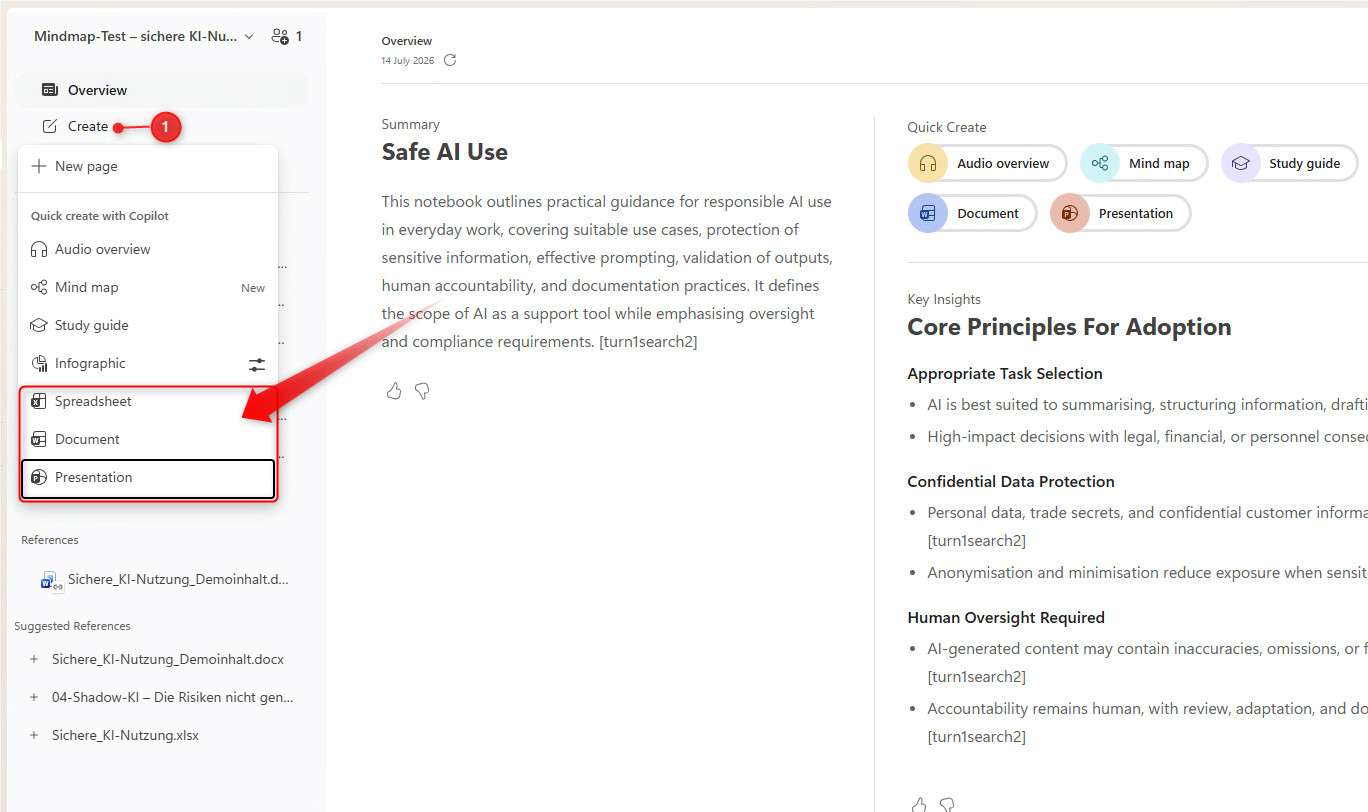
- Click Create in the left pane and choose a format under Quick create with Copilot: Document, Spreadsheet or Presentation. The same buttons appear on the Overview page under Quick Create.
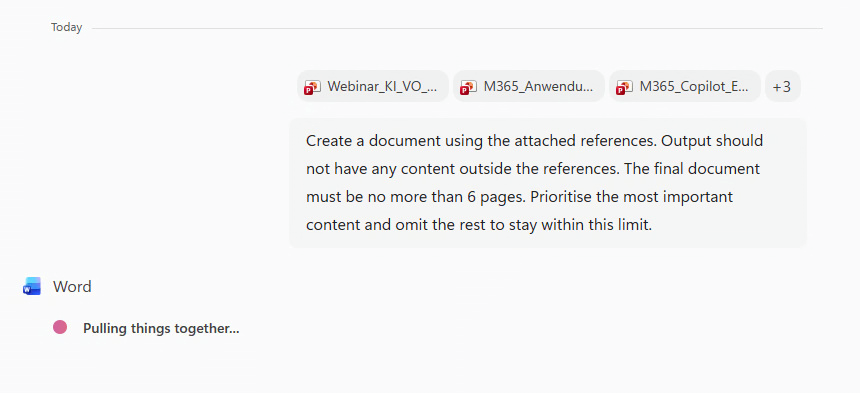
- Copilot begins immediately. The prompt it uses appears in the chat, with the relevant agent working underneath it — Word, in the case of a document.
- Open the finished file in the relevant app to work on it. With Presentation and Spreadsheet, you can also view the draft in the notebook itself and adjust it there via chat.