

Copilot for Word: Rewrite with Style

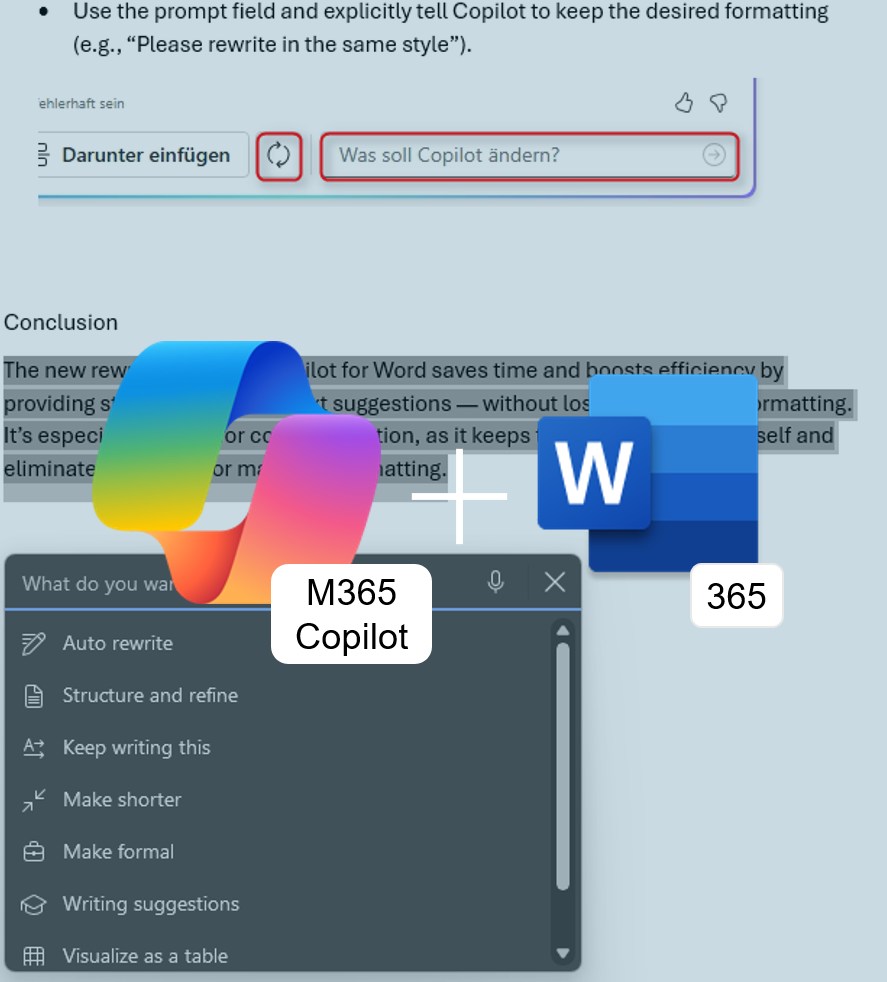
M365 Copilot for Word365: Rewrite with Style — Formatting Stays Intact

With “Automatic Rewrite” in Microsoft Word365, selected text can be rephrased using M365 Copilot. The AI provides stylistically alternative versions that can either replace the original text or be inserted below it.

New: Previously, formatting such as bold text, bullet points, or highlights was lost during rewriting — now, the original formatting is preserved or applied to the new version. Copilot automatically ensures consistent and appropriate formatting, allowing you to stay focused on the content.

Added value: Productivity    Scenario: Text Editing  Reading time: 4 minutes      Difficulty: Beginner

Evaluation of the function

User-friendly
Integrated into the Rewrite function. 90%
Time-saving
No reformatting required. 100%
Added value
Keeps the focus on content. 90%
Potential
Less manual fine-tuning, more automation. 100%

How does the function perform?

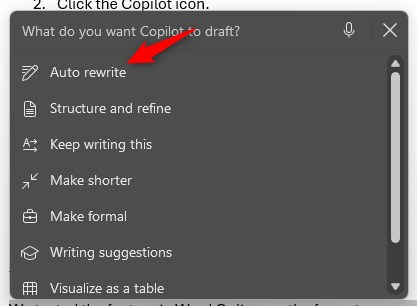
  • Select the desired text (word, sentence, or paragraph).
  • Click the Copilot icon.
  • Choose Auto Rewrite.

We tested the feature in Word Online, as the format-preserving function was not yet available in the desktop app. The retention of formatting works quite reliably: in at least one of the three rewrite suggestions provided by Copilot, the original formatting is preserved — whether in headings, bold or italic highlights, or bullet points. The only downside: font colors were often not retained.

Copilot appears to handle formatting most consistently when the entire selected text is uniformly formatted. When individual words within a paragraph are highlighted (e.g., only one word in bold), that formatting may still be lost during rewriting.

If it doesn’t work on the first try:

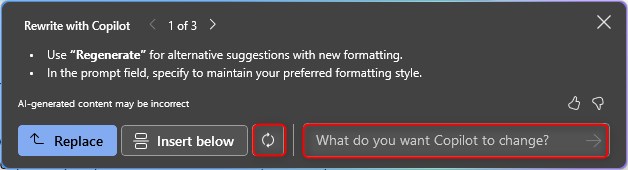
  • Use the “Regenerate” function to get alternative suggestions with different formatting.
  • Use the prompt field and explicitly tell Copilot to keep the desired formatting (e.g., “Please rewrite in the same style”).
The new rewrite feature in Copilot for Word saves time and boosts efficiency by providing stylistically refined text suggestions — without losing the original formatting. It’s especially helpful for content creation, as it keeps the focus on the text itself and eliminates the need for manual reformatting.