
OpenAI has rebuilt the ChatGPT voice experience around GPT-Live, a new generation of voice models that can listen and speak at the same time. It waits when you pause to think, handles interruptions gracefully, and hands harder questions to GPT-5.5 in the background while keeping the conversation going. The rollout started on 8 July and is global – though for now it only reaches consumer plans. Here’s what the new voice mode does, how to try it, and where the limits currently sit.
Category: Chatgpt News En
ChatGPT Gets to Know You Over Time: The New Memory
ChatGPT’s improved memory is designed to build up your working context on its own over time — your preferences and recurring tasks carry over without you having to explain them from scratch each time. That’s especially compelling if you turn to ChatGPT regularly for similar kinds of work. Here’s what OpenAI says it does, and where a little caution is still warranted.
ChatGPT will increasingly evaluate sensitive conversations in context
With improved context recognition in sensitive conversations, ChatGPT is intended to move beyond evaluating individual messages and instead assess warning signals across the entire conversation flow. This is particularly relevant when people seek support in challenging situations and need clear, safe responses. We summarize what OpenAI has announced and where questions still remain.
Realtime Voice for Business: OpenAI Expands Voice Intelligence with New API Models
With new speech models in the OpenAI API, real-time conversation, live translation, and transcription are moving closer to everyday workflows — audio no longer has to wait until after the fact to be processed. Interesting for any team looking to reduce the manual overhead around support calls, training sessions, or international meetings. Here’s what the models can do and where caution is still warranted.
GPT-5.5: More Depth on Demand
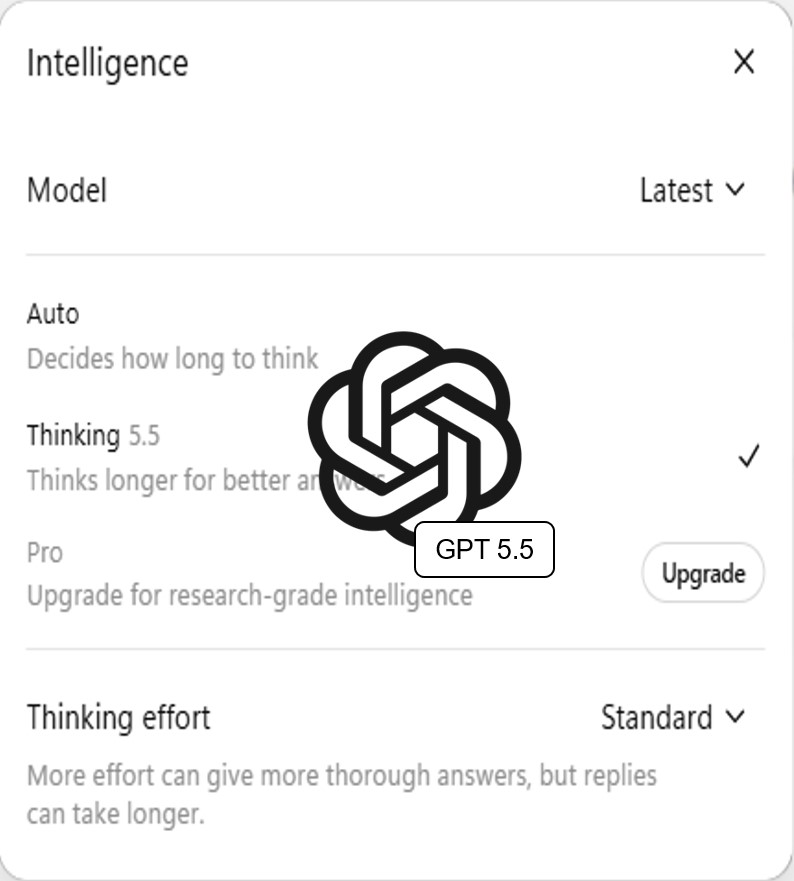
GPT-5.5 brings finer control over how deeply ChatGPT thinks — swapping a one-size-fits-all mode for a deliberate choice between speed and depth. Particularly useful for anyone who regularly switches between quick replies and complex analysis. Here’s what’s changed, how to use it, and where it actually makes a difference.
ChatGPT Images 2.0: Frontier Image Generation Without Leaving the Chat
ChatGPT Images 2.0 takes image generation to the next level — visuals are created and refined directly in the conversation, no separate tools required. The workflow is simple: describe what you need, get an image, adjust as you go. For presentations, internal communications, or quick mockups, that kind of frictionless iteration can make a real difference. Here’s what’s new, how to use it, and what to watch out for.